Help & FAQ
From opening the site to your finished files — how everything works, with pictures.
1. Getting started
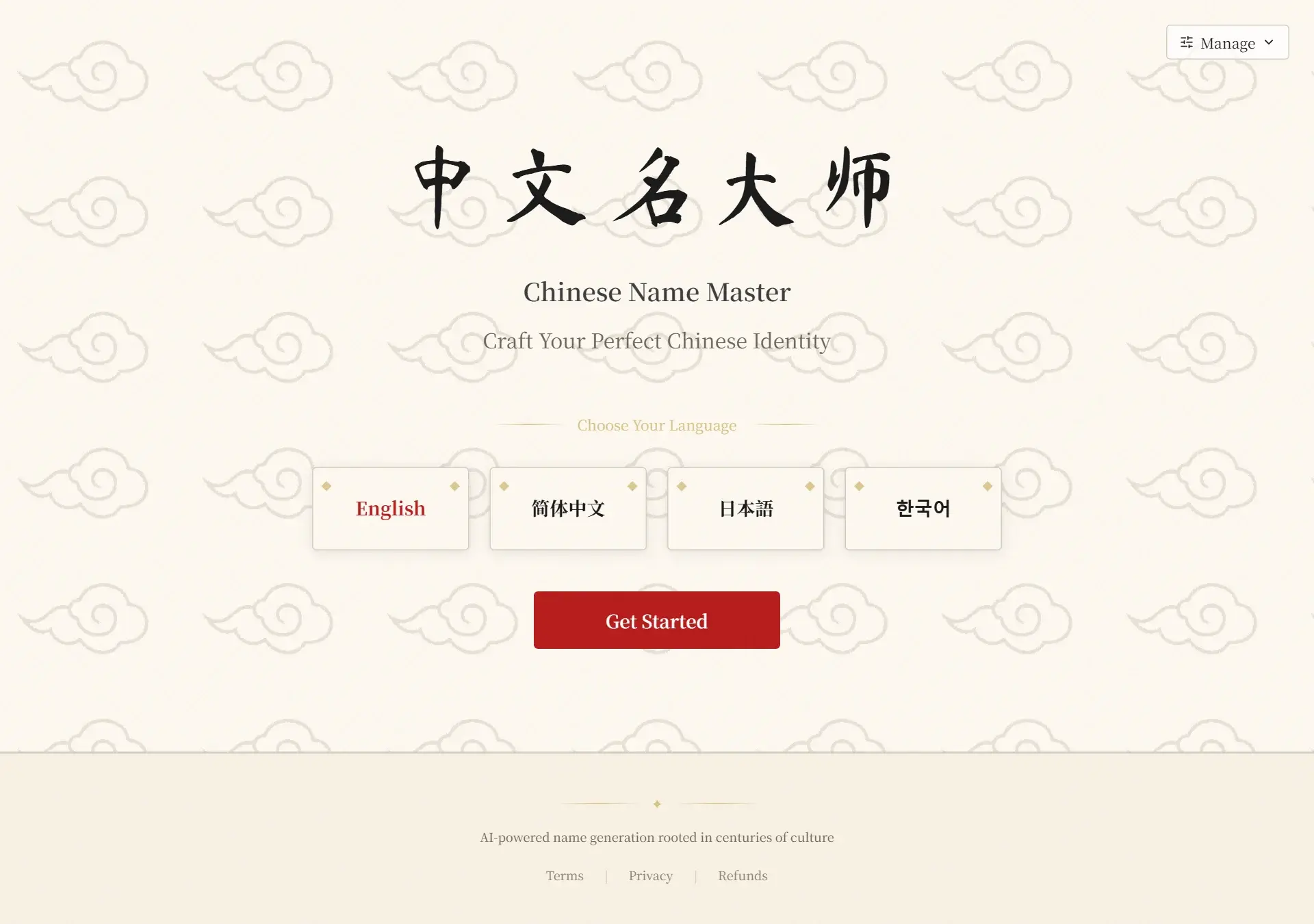
What is Cnname and what do I see on the home page?
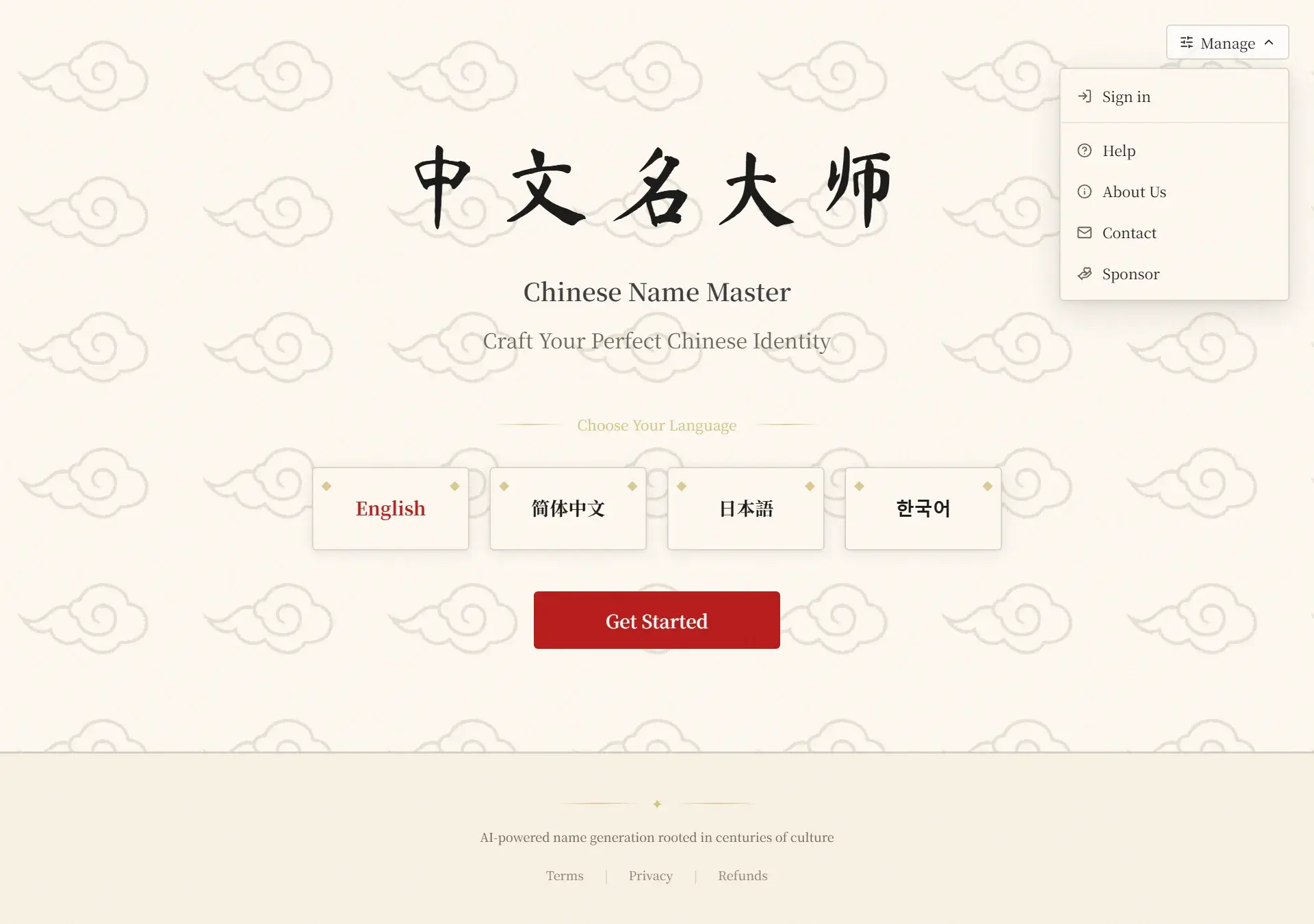
Cnname is a naming studio for Chinese names. The home page lets you pick a language and start the questionnaire, while the Manage menu at the top right holds sign-in, your account, password and this Help page.
How do I sign in or create an account?
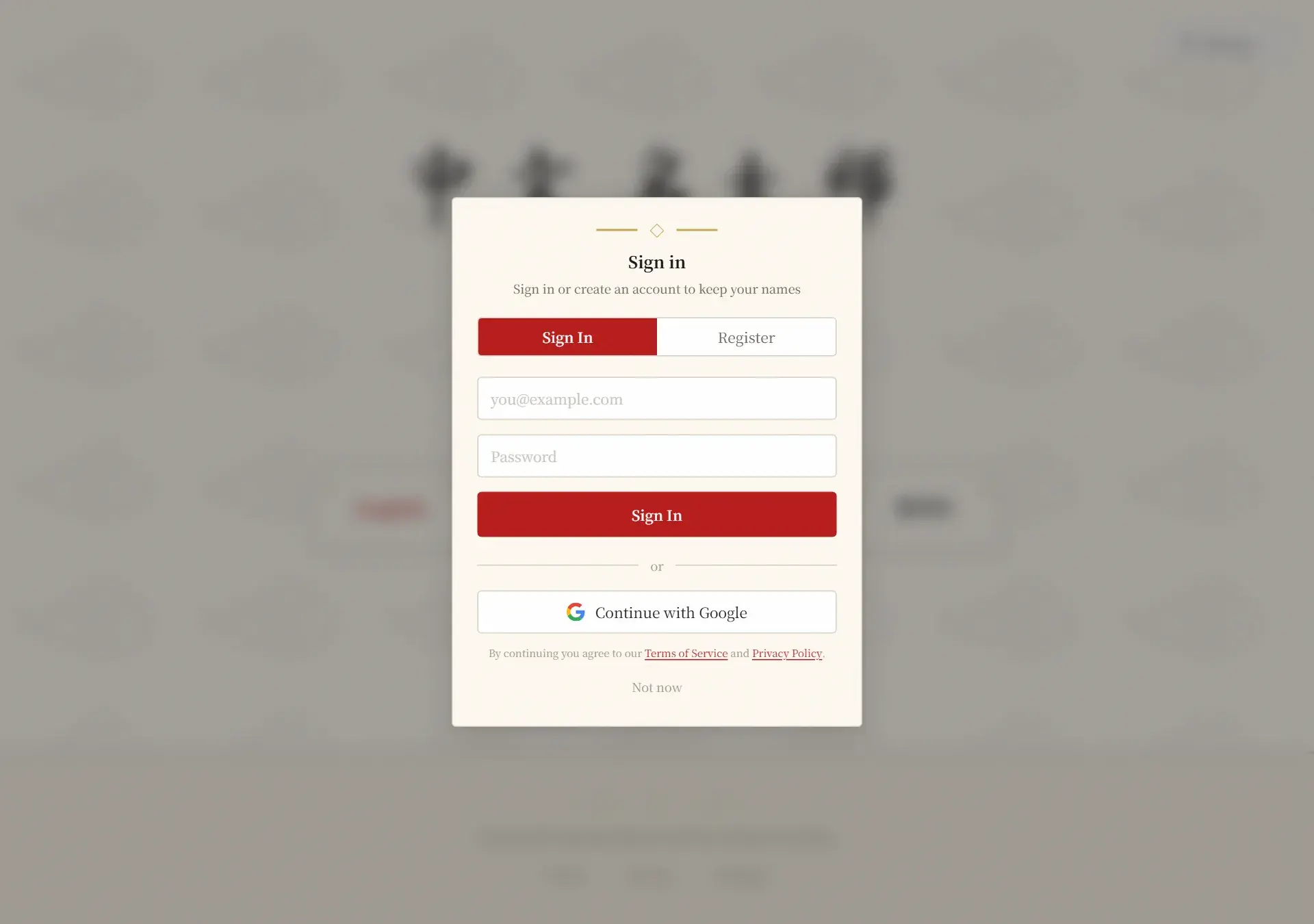
Open the Manage menu at the top right and choose Sign in. In the dialog you can switch between Sign In and Register, or use the Continue with Google button to sign in with your Google account. With email, an email and a password (at least 6 characters) are all you need.
2. The questionnaire
What does the questionnaire ask?
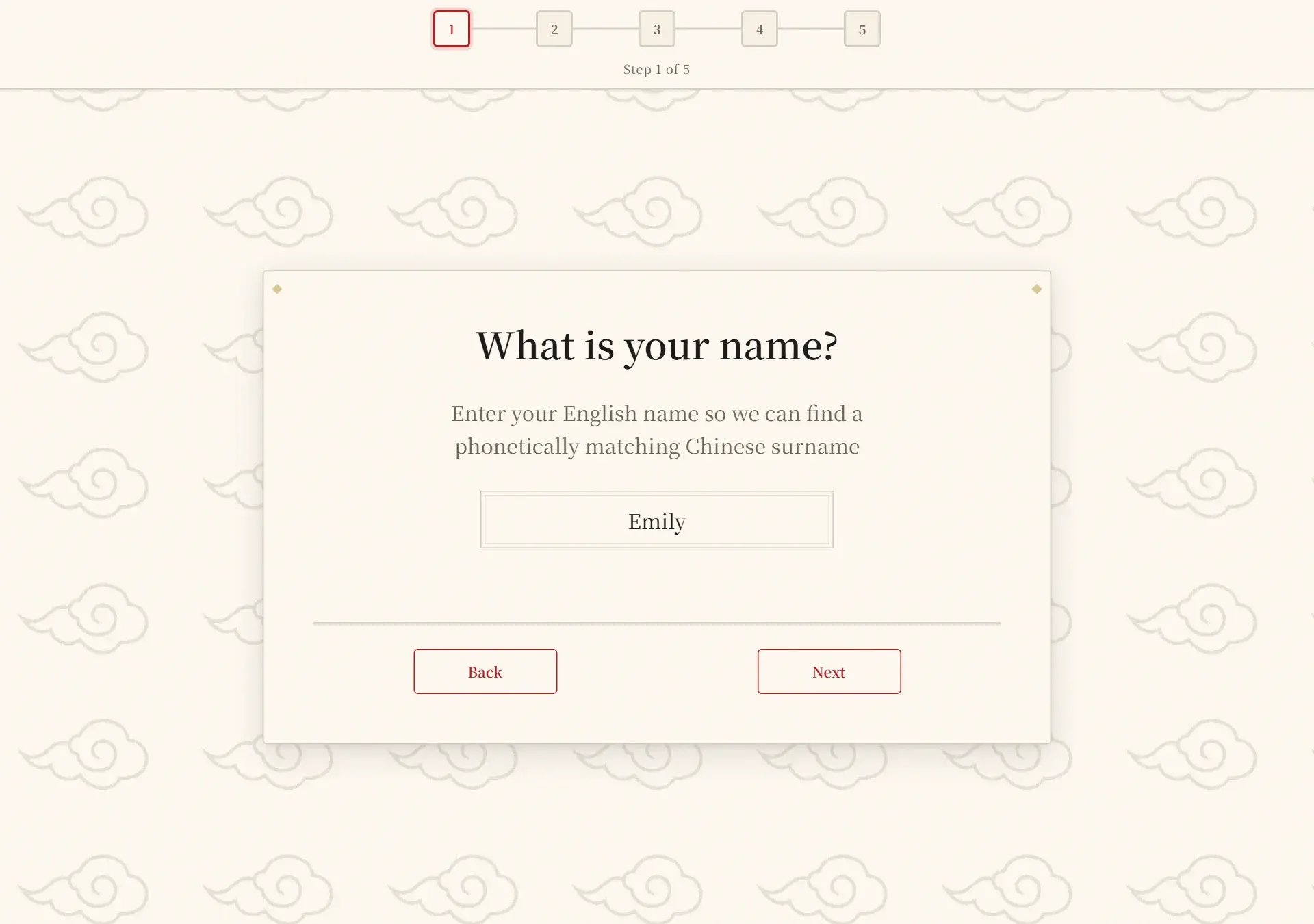
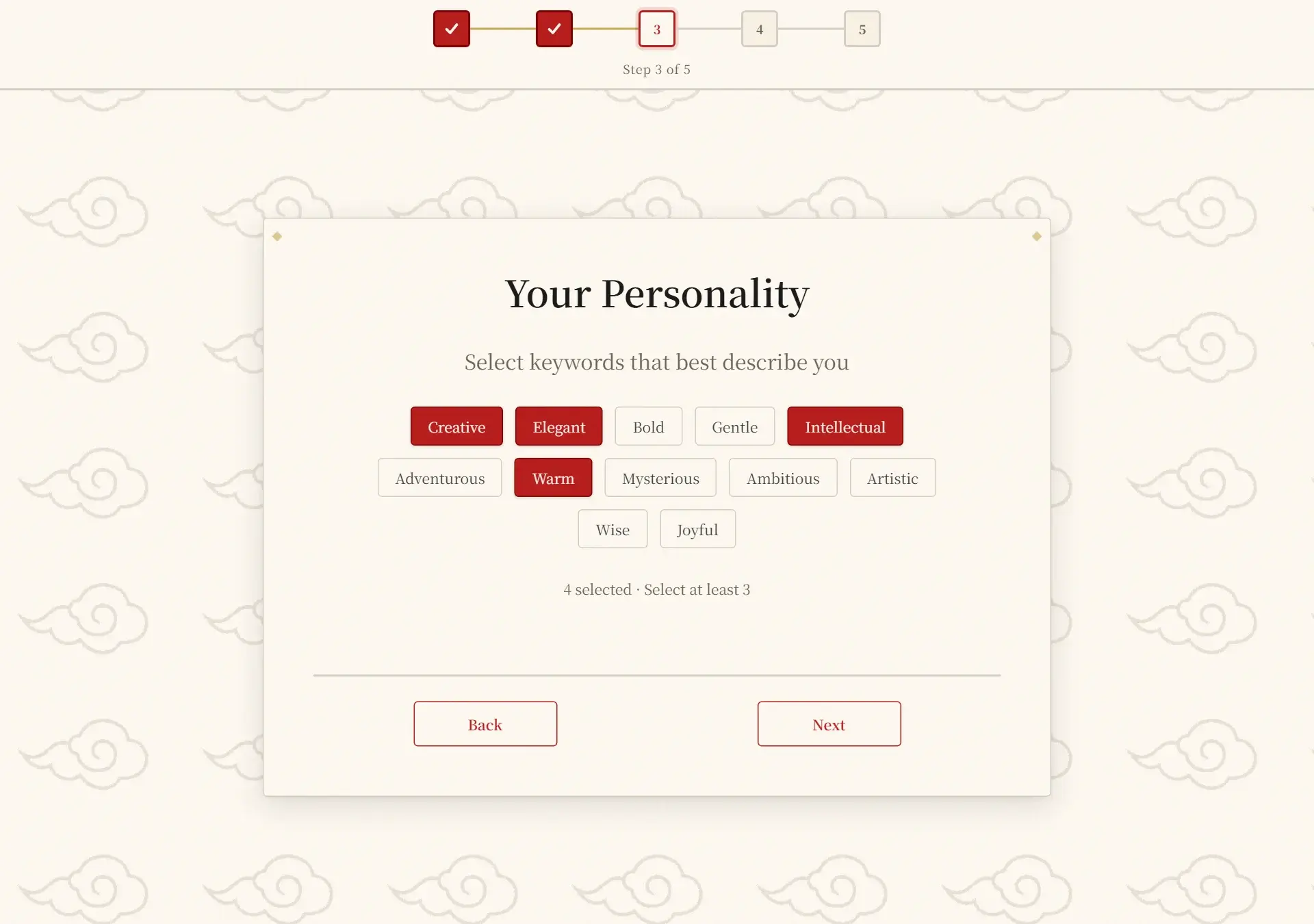
Five short steps: your English name, gender identity, personality keywords, the cultural imagery you like, and your birth date & time. Every step has Back / Next buttons and a progress bar on top.
Which personality keywords and imagery should I choose?
Pick at least three keywords that describe you and one imagery style — together they decide the meaning of the characters in your name. To get a different direction later, start a new order and change these answers.
Why do you need my birth date and time?
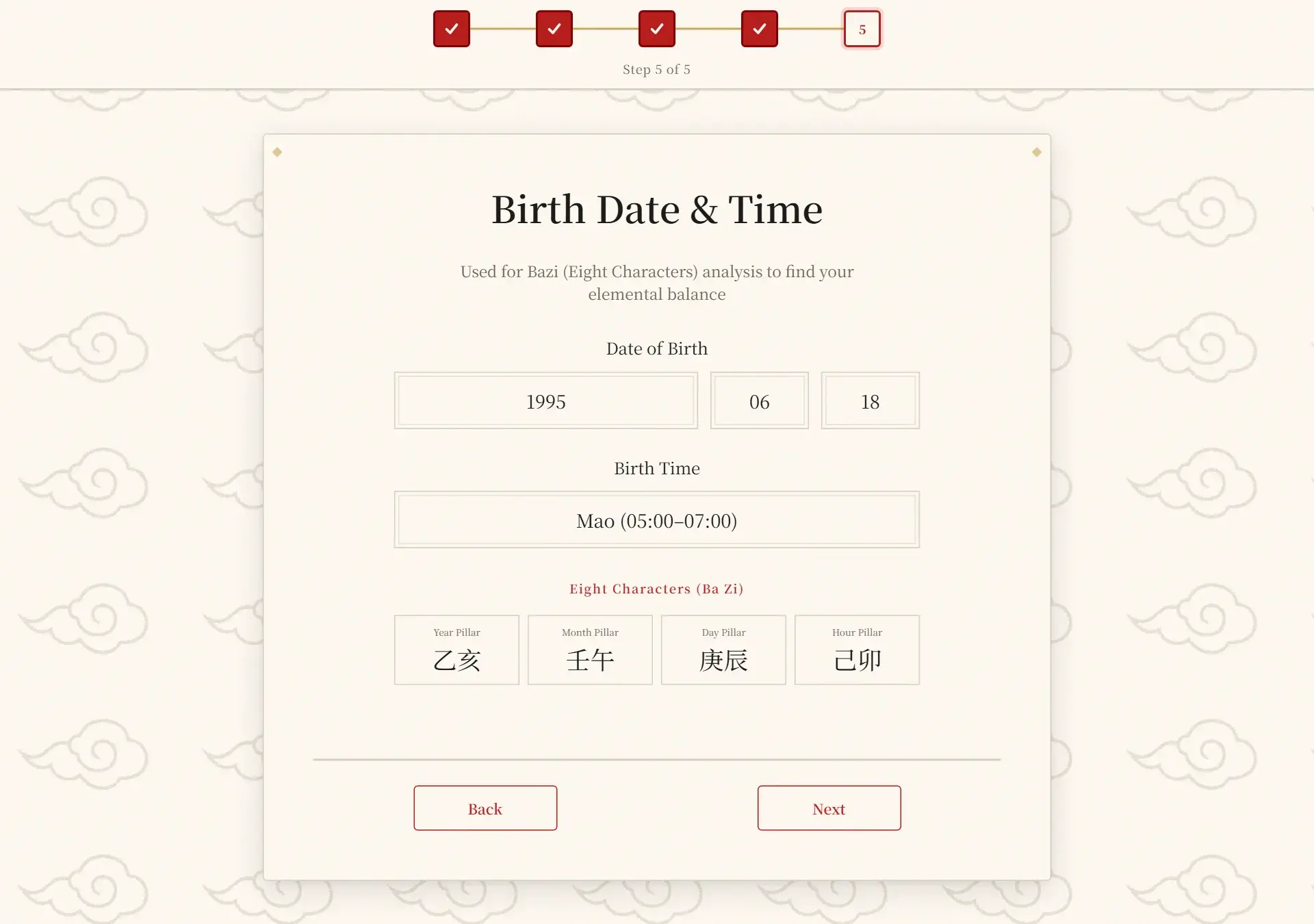
They feed a Bazi (Eight Characters) analysis that checks your elemental balance; the four pillars preview updates as you fill them in. If you don't know your exact birth time, pick the closest period or "I don't know my exact birth time".
Can I go back or change an answer?
Yes. The Back button on every step keeps your answers, and the dots at the top show where you are. Nothing is charged or generated until you confirm the payment dialog on the last step.
3. Payment
How much does it cost and how do I pay?
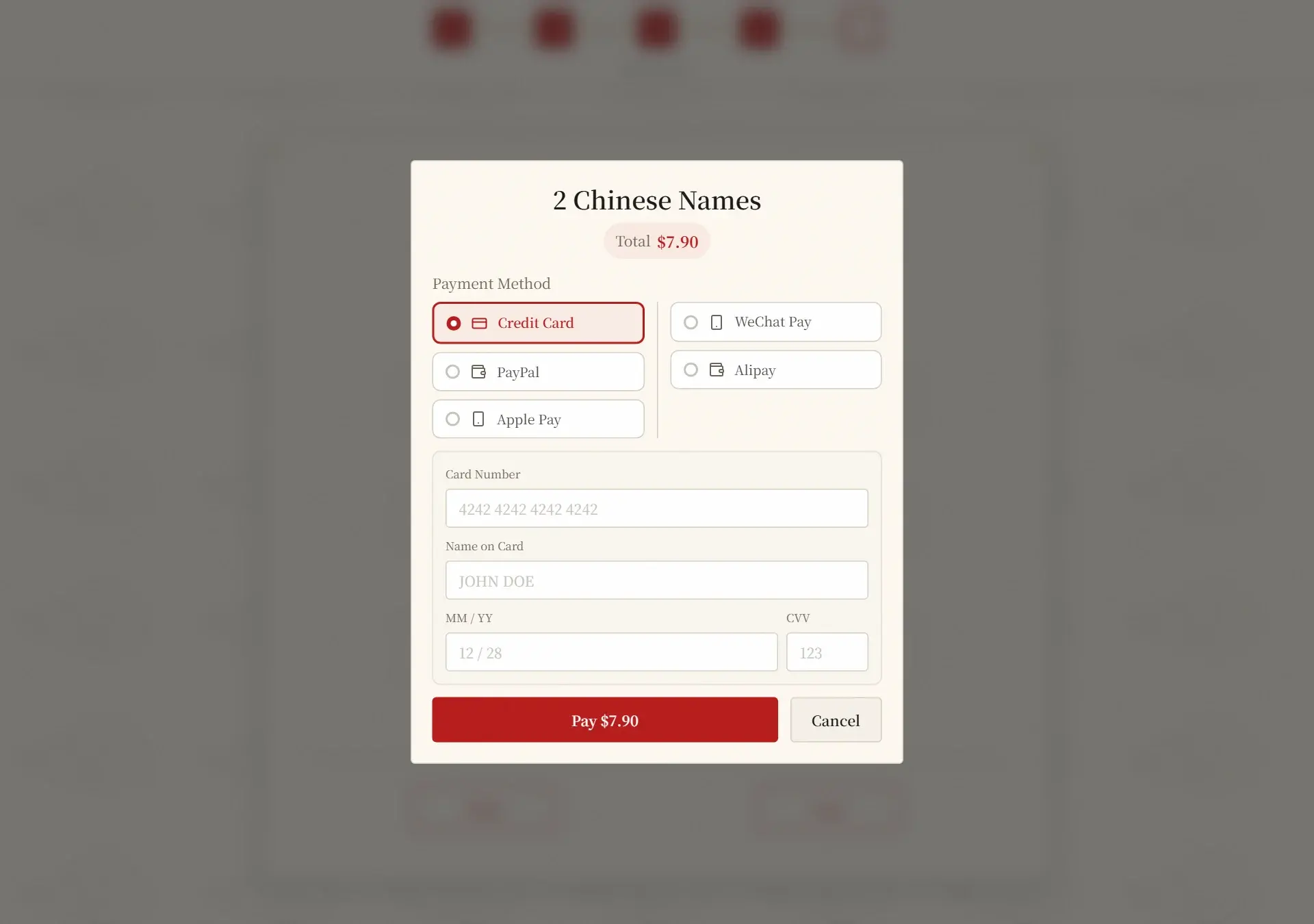
The checkout dialog always shows the exact total before you confirm (currently US$7.90 for the name set). You pay once by credit/debit card, PayPal, Apple Pay, WeChat Pay or Alipay — it is not a subscription and nothing renews automatically.
4. Your results
What is on the results page?
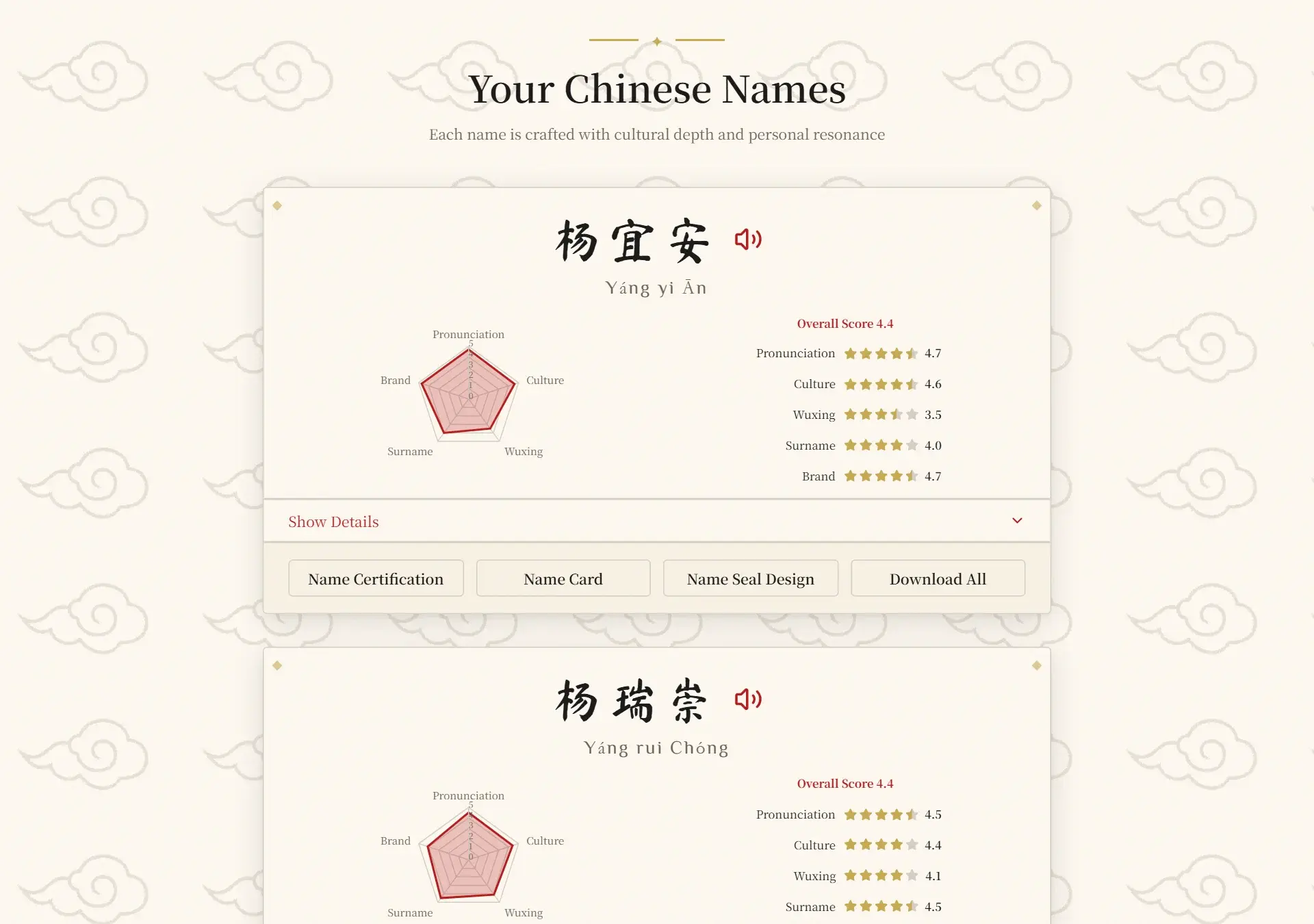
Every name in your order appears as a card with the characters, pinyin, a Listen button for pronunciation, a radar chart and star scores, plus four buttons: Name Certification, Name Card, Name Seal Design and Download All.
What do the scores mean?
Each name is rated 0–5 on pronunciation, culture, wuxing (five elements), surname match and branding, with an overall score. Press Show Details on a card to read the meaning of every character, the surname origin and your Bazi chart.
5. Files & downloads
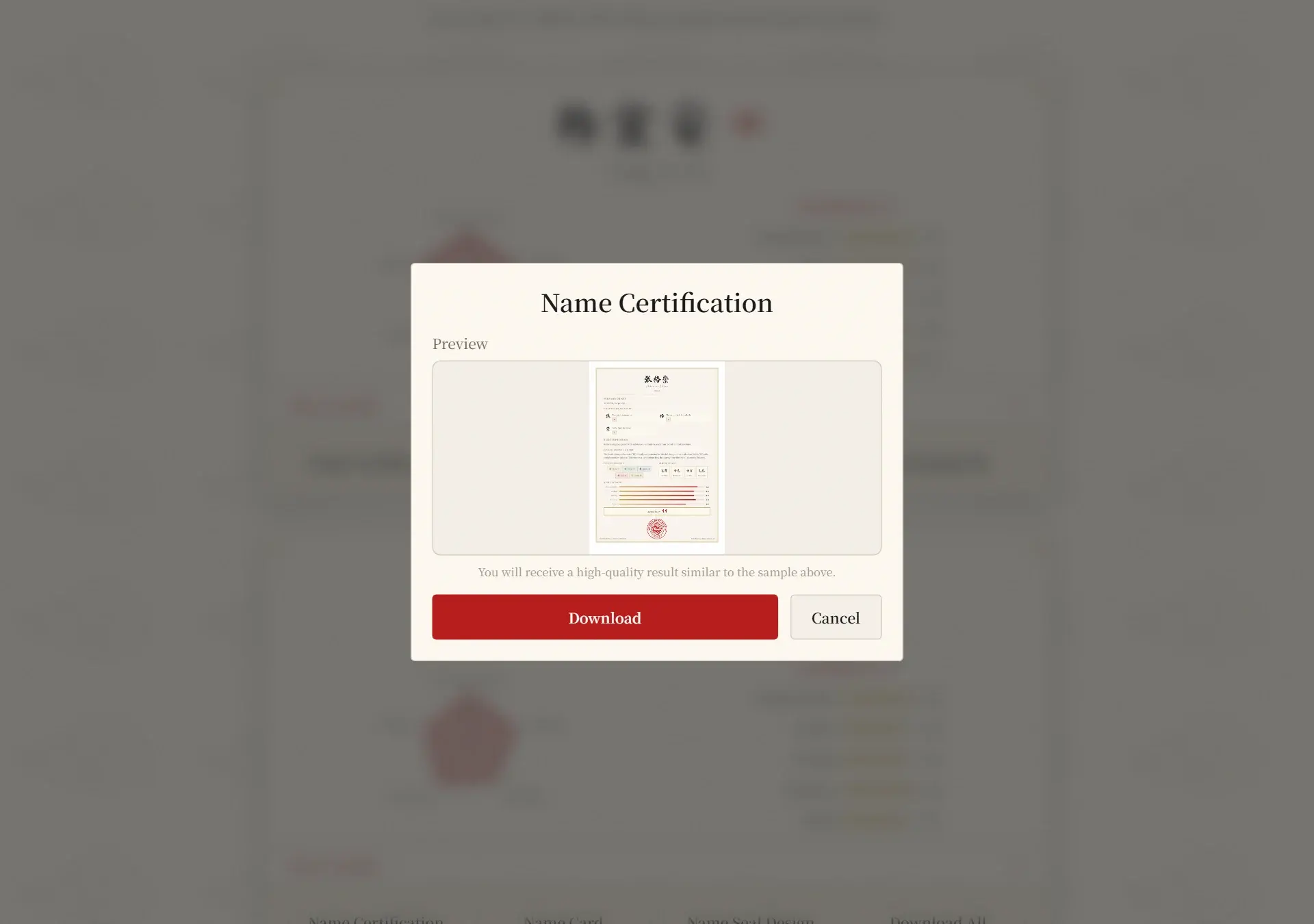
What is the Name Certification?
A printable PDF certificate showing the name's characters and meanings, five elements, Bazi summary and scores. Press Name Certification on a card to preview it, then Download.
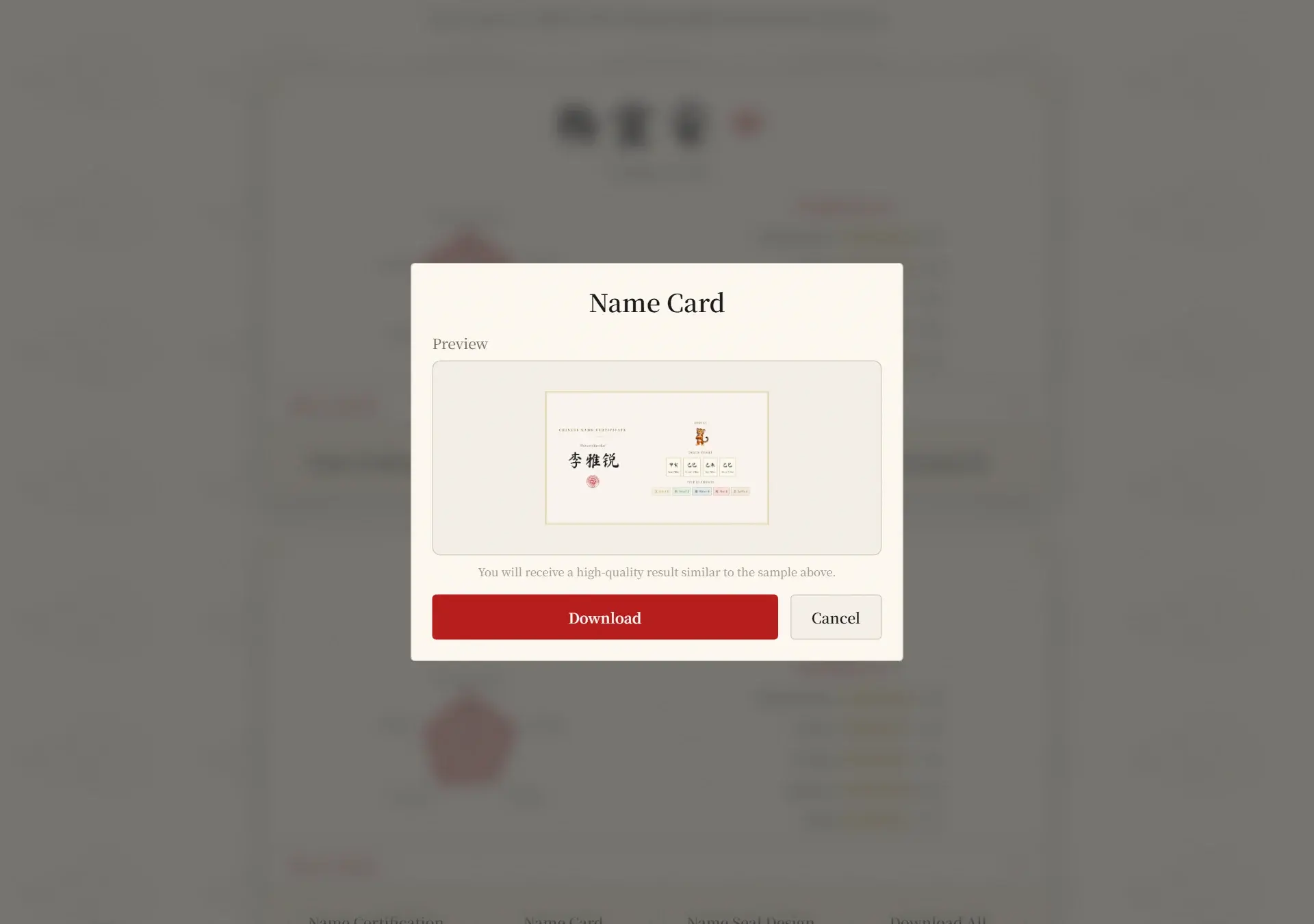
What is the Name Card?
A JPG image sized for social profiles and sharing, showing the name with its zodiac animal and five elements. Preview it with the Name Card button and press Download.
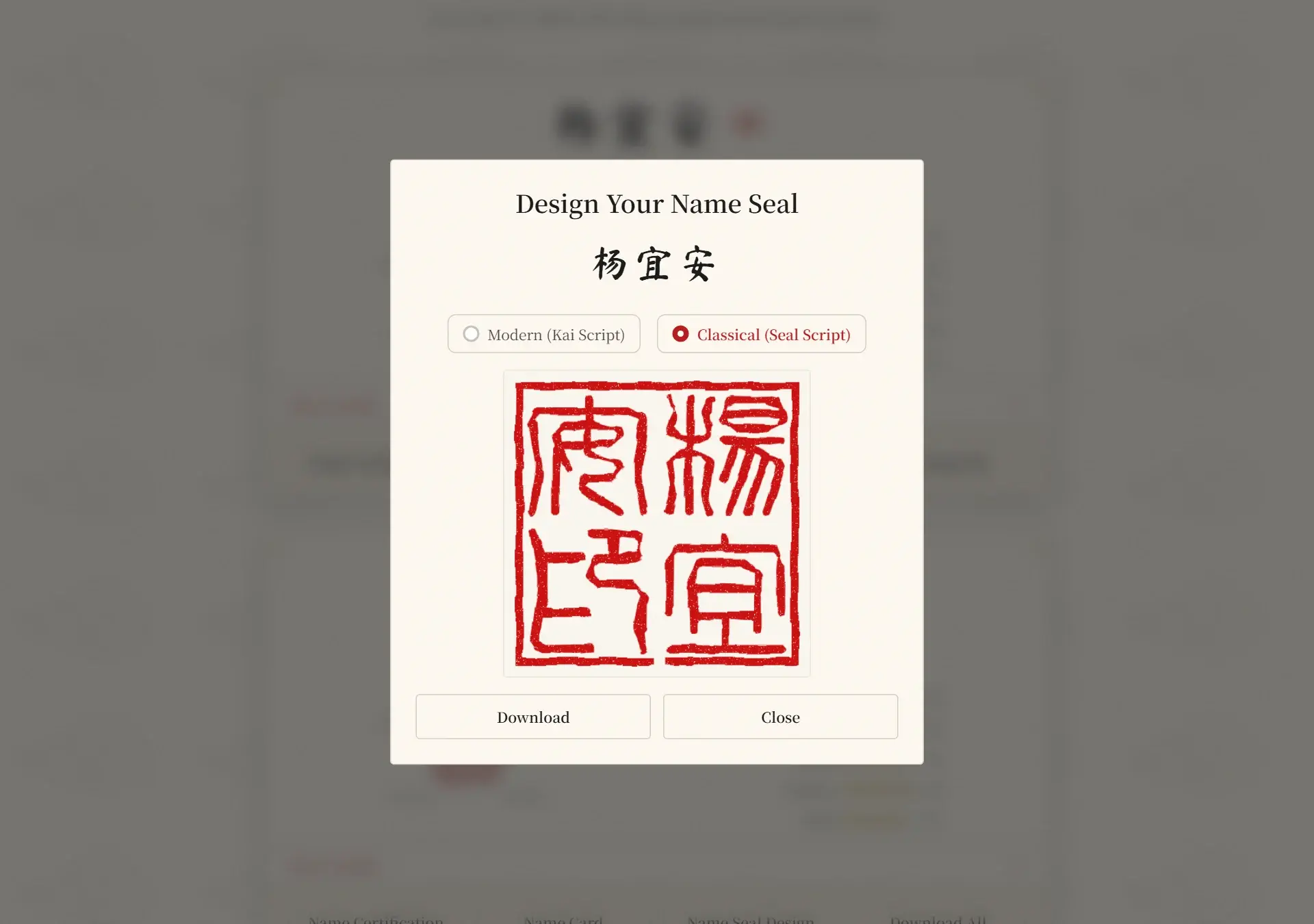
What is the Name Seal?
A square Chinese seal rendered from your name in two styles — Classical (seal script) and Modern (kai script). The dialog opens with the seal already drawn; switch the style and press Download to save a PNG.
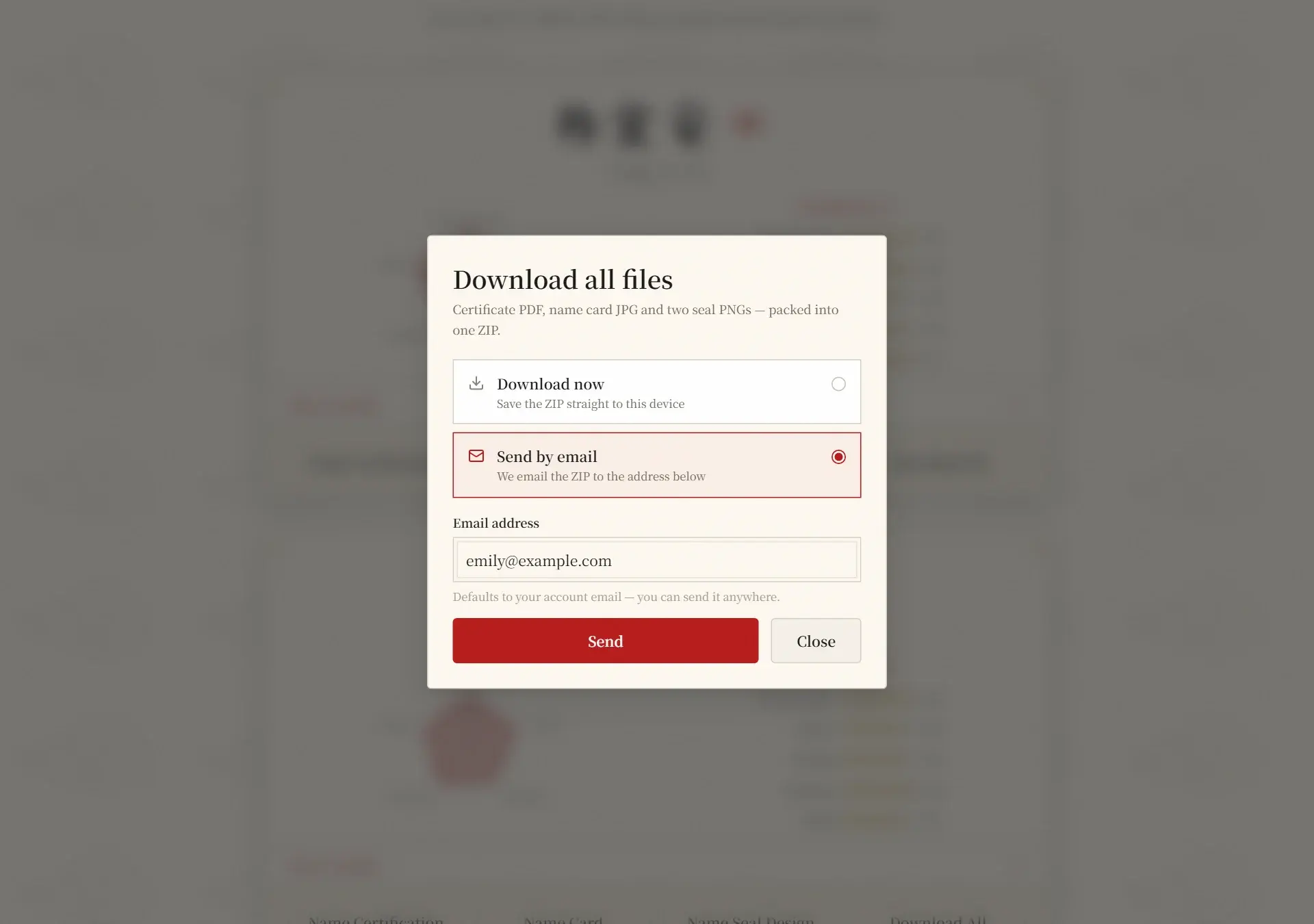
How does Download All work?
It packs the certification PDF, the name card JPG and both seal PNGs into one ZIP. Choose Download now to save it to your device, or Send by email to mail it to any address — your account email is the default and you can change it.
How long can I access my files?
Orders stay available for 90 days after purchase; the results header shows the exact date. Download or generate everything you want to keep before the order expires.
6. Your account
Where can I find my orders?
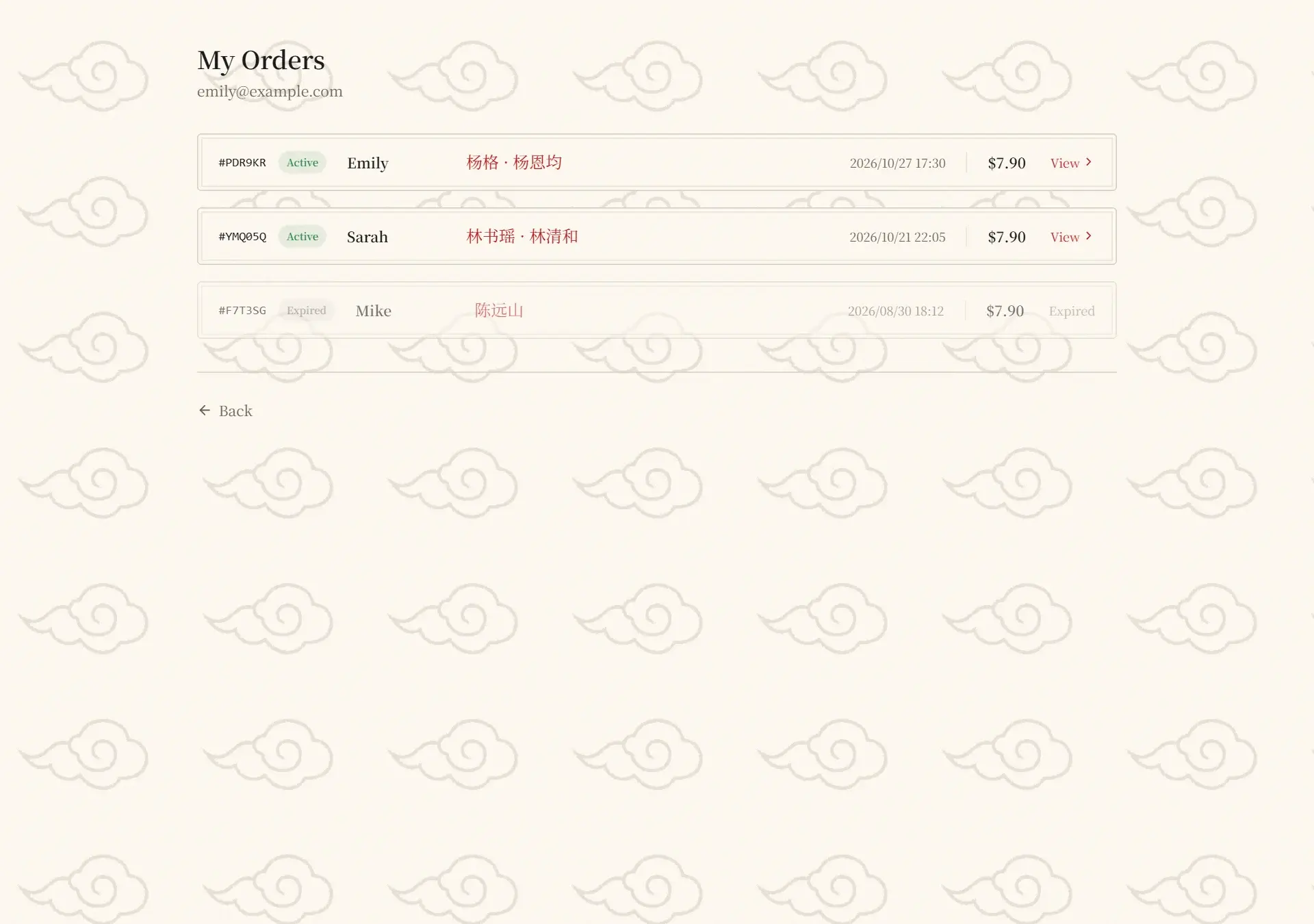
Open Manage → My Account. The table lists every order with its number, date, the name you entered, the Chinese names, and a View link that reopens the results page.
How do I change my password?
Open Manage → Change password. If you signed up with Google you have no password yet — just enter and confirm a new one (at least 8 characters) to set it. Otherwise enter your current password and the new one twice, then confirm.
I forgot my password. What now?
Go to the Sign In page and click “Forgot password?”. We’ll email you a one-time reset link to your account address — open it and choose a new password. The link expires after 30 minutes. If you can’t access that email, contact support@cnname.top.
7. Troubleshooting
The page looks blank or stuck
Refresh the page first — the first visit loads a lot of JavaScript. If a dialog is stuck, press Escape or click outside it. Still stuck? Clear the site data or try another browser, then sign in again.
My download doesn't start, or the email never arrives
Allow pop-ups and downloads for cnname.top and try Download All → Download now again. For the email option, check the spam folder, wait a few minutes, and make sure the address you typed is correct.
The Name Seal button says the name isn't supported
Seals need 2–4 Chinese characters. Names outside that range can't be rendered as a seal — use the other files, or generate a name of a different length.
My order shows "Expired"
Orders are kept for 90 days. After that the results are removed and the View link stops working. Start a new order to generate the name again.
Still need help?
Email us at support@cnname.top